Instagram Direct Message — DM ใน IG
ทำไมใช้ Instagram DM
ลูกค้า Gen Z + Millennial ทักผ่าน IG เป็นหลัก. IG DM ผ่าน Meta API — ใช้ Page เดียวกับ Messenger (FB Page link กับ IG Business account)
เหมาะกับ: ร้าน fashion / beauty / lifestyle / food + Gen Z audience
สิ่งที่ต้องเตรียม
- Instagram Business account (เปลี่ยนจาก Personal ในแอป IG → Settings → Account → Switch to Business)
- Facebook Page ที่ link กับ IG account นั้น
- Page admin role ใน Facebook
ขั้นตอน (6 ขั้น)
- 1
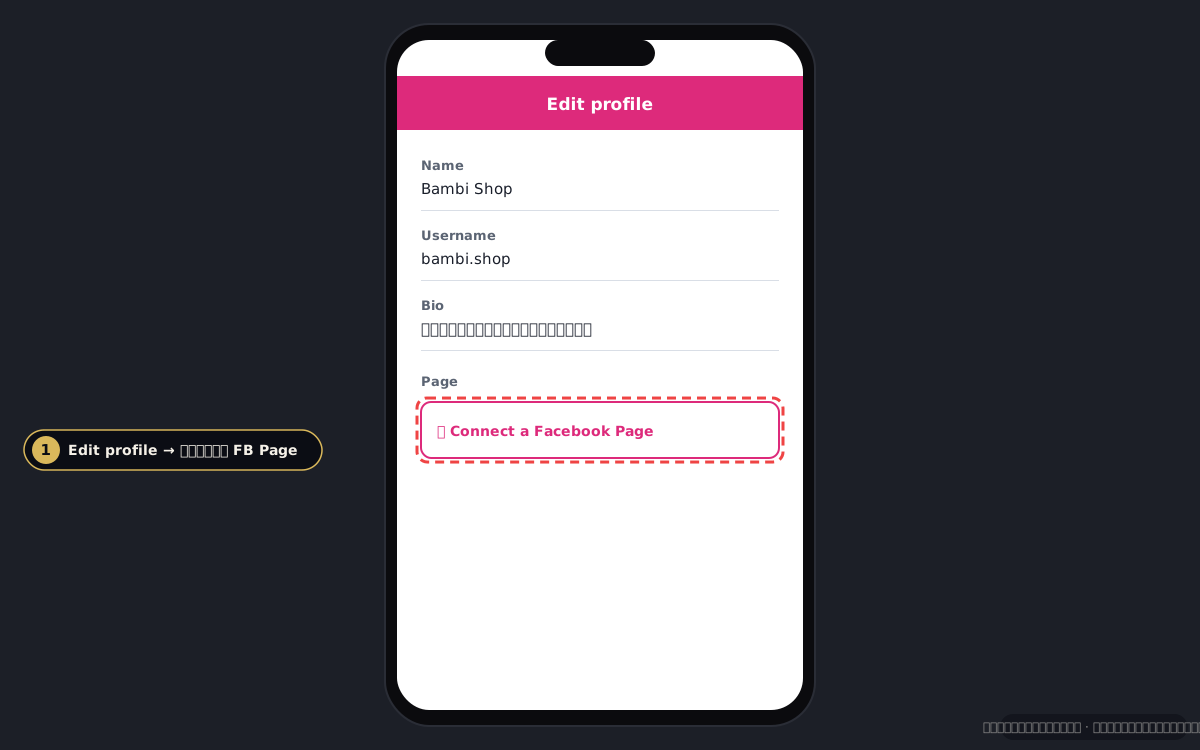
Link IG Business → FB Page
ในแอป IG: Profile → Edit profile → Page → connect FB Page. ใน FB: Page → Settings → Linked accounts → Instagram
IG account linking - 2
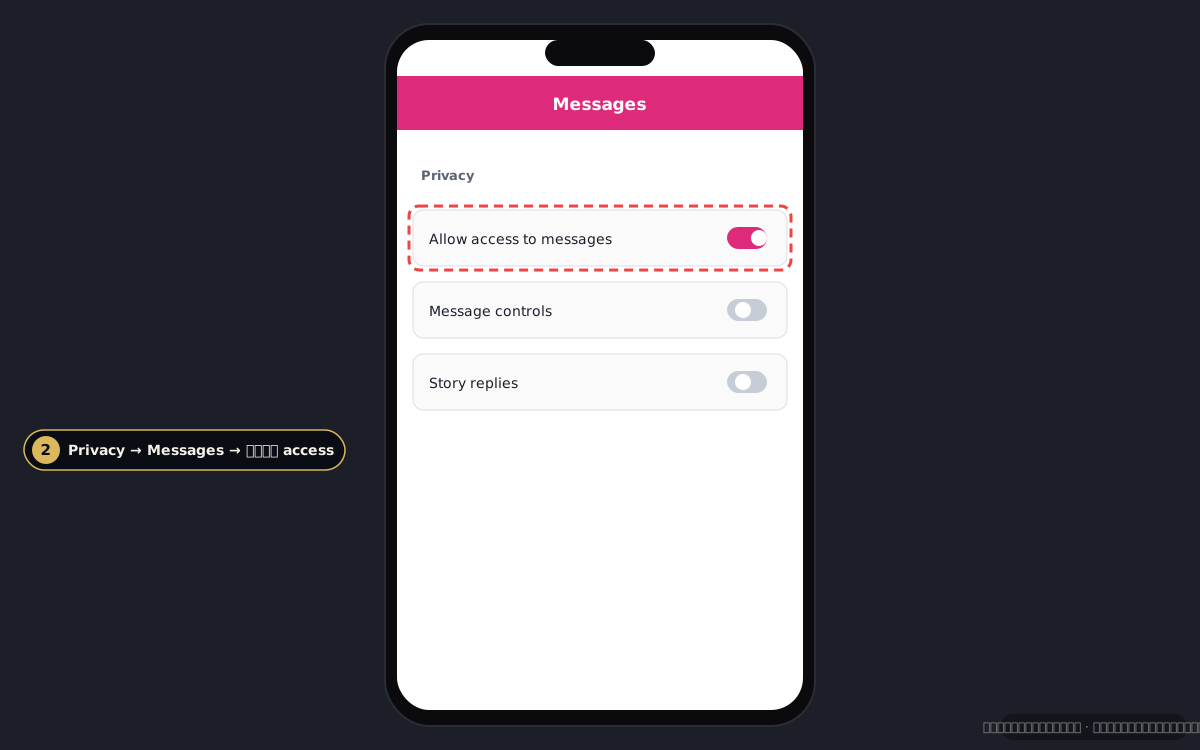
เปิด Message Access
ในแอป IG: Settings → Privacy → Messages → Allow access to messages → ON. นี่คือ permission สำคัญที่ Meta ต้องการก่อน 3rd-party app อ่านข้อความได้
IG message access toggle - 3
ไปที่ Chatwoot Console (ชั่วคราว)
เหมือน Messenger — ใช้ Chatwoot OAuth.
https://chat.ouh.logiclayerthailand.cloud💡 ใน Phase 11 Ouh จะ wire OAuth เองเปิด Chatwoot Console → - 4
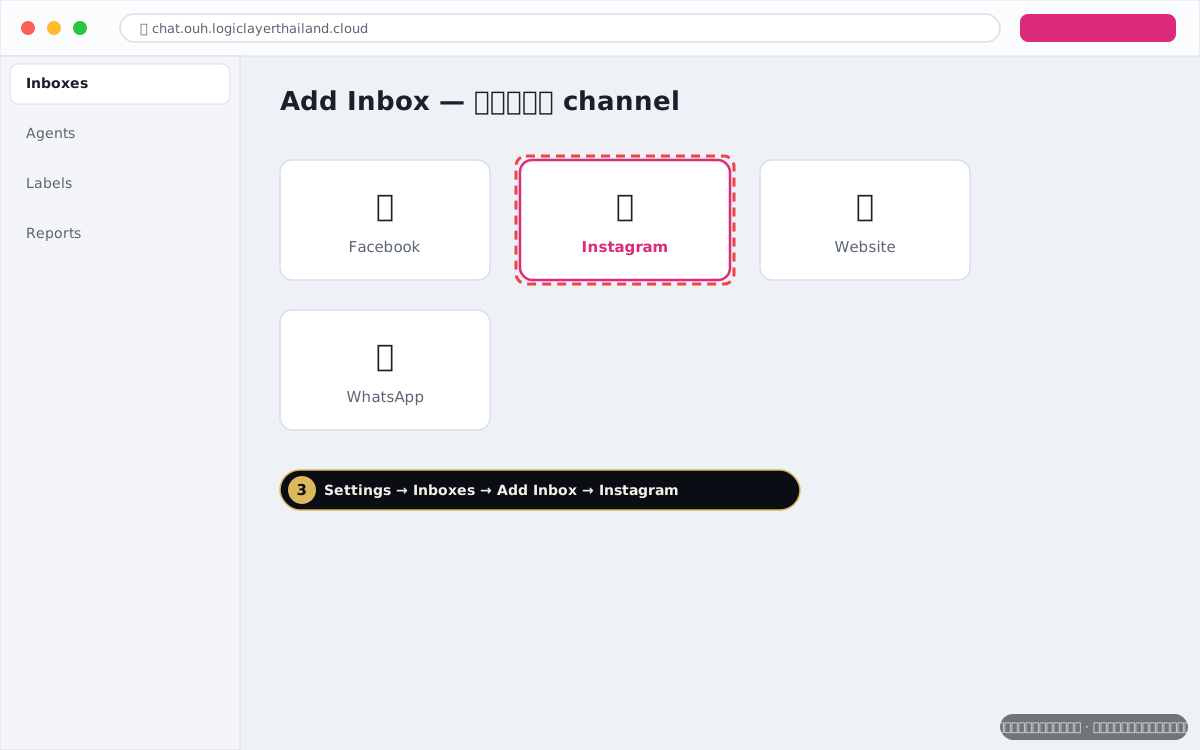
Add Instagram inbox
Chatwoot → Settings → Inboxes → Add Inbox → Instagram → Continue with Facebook
Add Instagram inbox - 5
Authorize
Login Facebook → Authorize permissions:
instagram_basic,instagram_manage_messages,pages_messaging,pages_show_list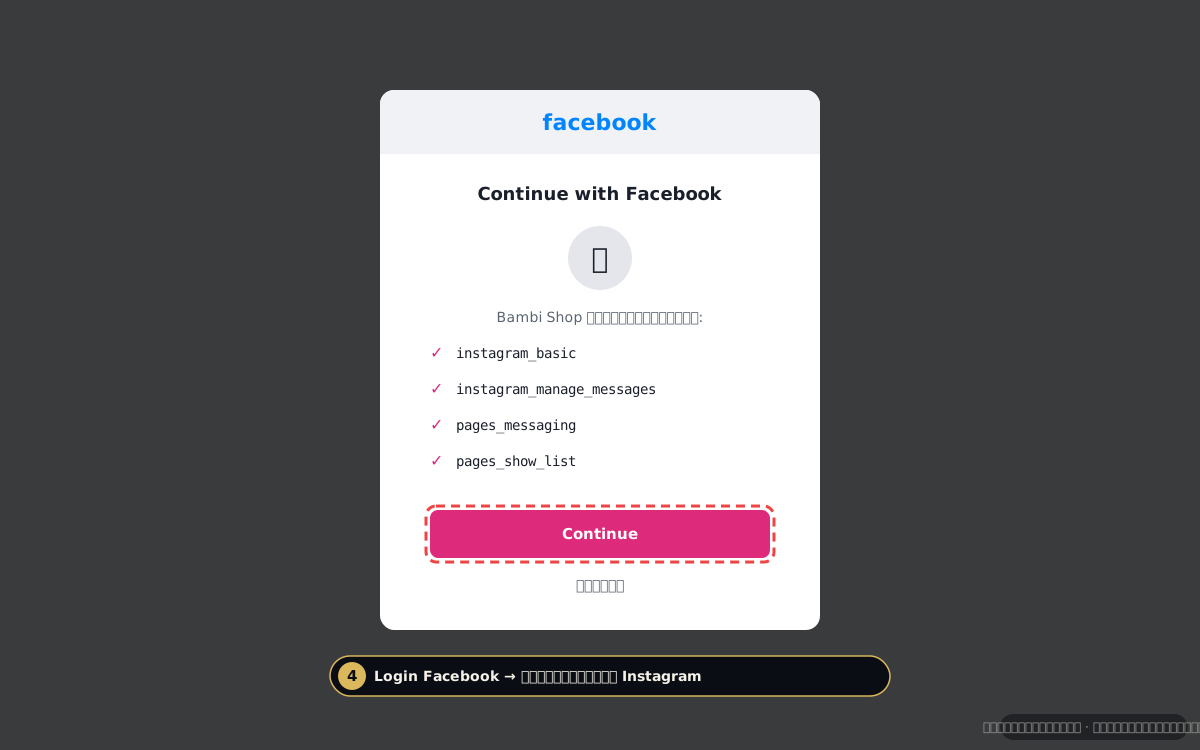
Instagram OAuth dialog - 6
เลือก IG Business account
เลือก IG Business account ที่ link FB Page → ตั้งชื่อ inbox → Create
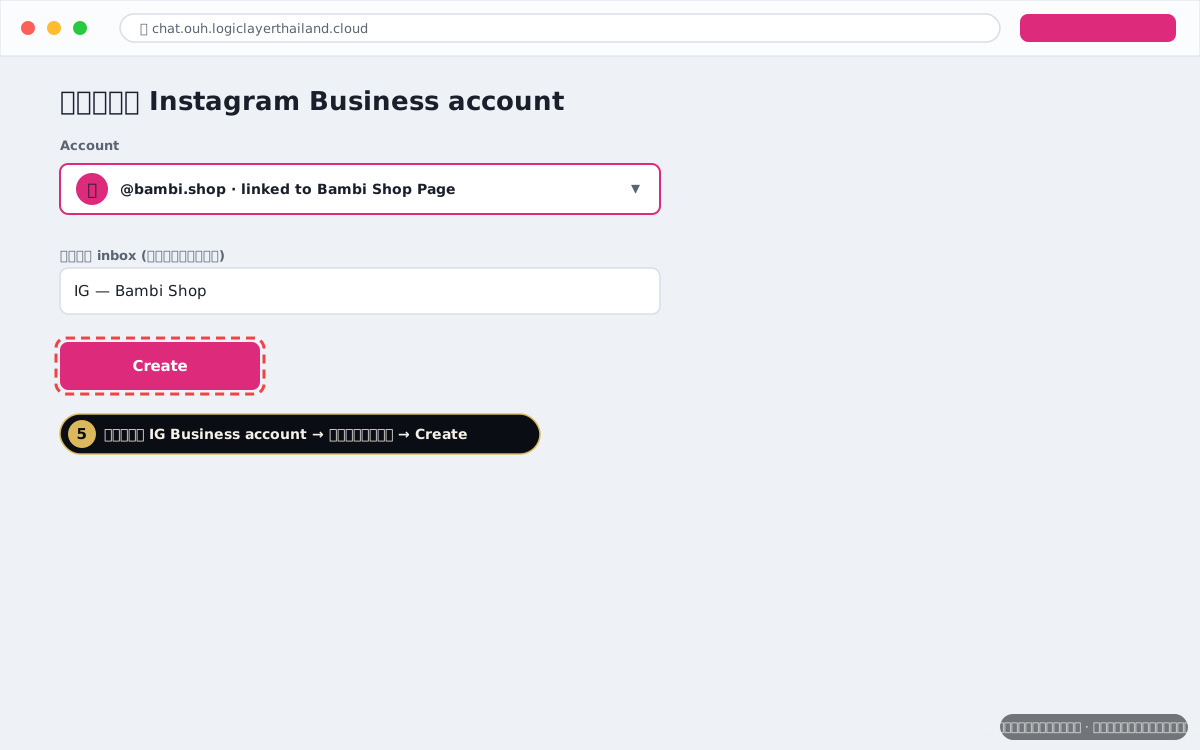
Select IG account
ทดสอบว่าเชื่อมแล้วใช้ได้
ใช้บัญชี IG อื่นส่ง DM หา IG Business account ของคุณ → ควรเห็นใน Ouh inbox ใน 5 วิ
แก้ปัญหาที่เจอบ่อย
❓ ไม่เห็น IG account ใน OAuth
เช็ค: (1) IG เป็น Business account จริง (Settings → Account) (2) link กับ FB Page แล้ว (3) Allow access to messages = ON
❓ Story replies / mentions ไม่เข้า
Story interactions มี subset permissions — ตอนนี้ Chatwoot รองรับเฉพาะ DM. Story → DM forward ปกติเข้าได้
❓ ตอบ DM ไม่ไปลูกค้า
IG จำกัด 24-hour conversation window เหมือน WhatsApp — เกินต้องรอลูกค้าทักใหม่
ลิงก์ที่เกี่ยวข้อง
ติดที่ขั้นไหน?
ส่ง screenshot ขั้นที่ติด ไปที่ support@logiclayerthailand.cloud พร้อมระบุชื่อ channel — ตอบใน 1 วันทำการ
พร้อมแล้ว → เปิด Channels ใน Ouh